How to delete an API key in IpQuery.Info
When an application is retired, delete its key so nobody can use it again. Recorded statistics are kept. If the application still runs, rotate the key instead.
Before you start
- An API key no application still uses
Preview voice Narrated with a local preview voice; the final recording replaces it.
Transcript
Remove an API key that no application uses any more, so nobody can call the API with it again.
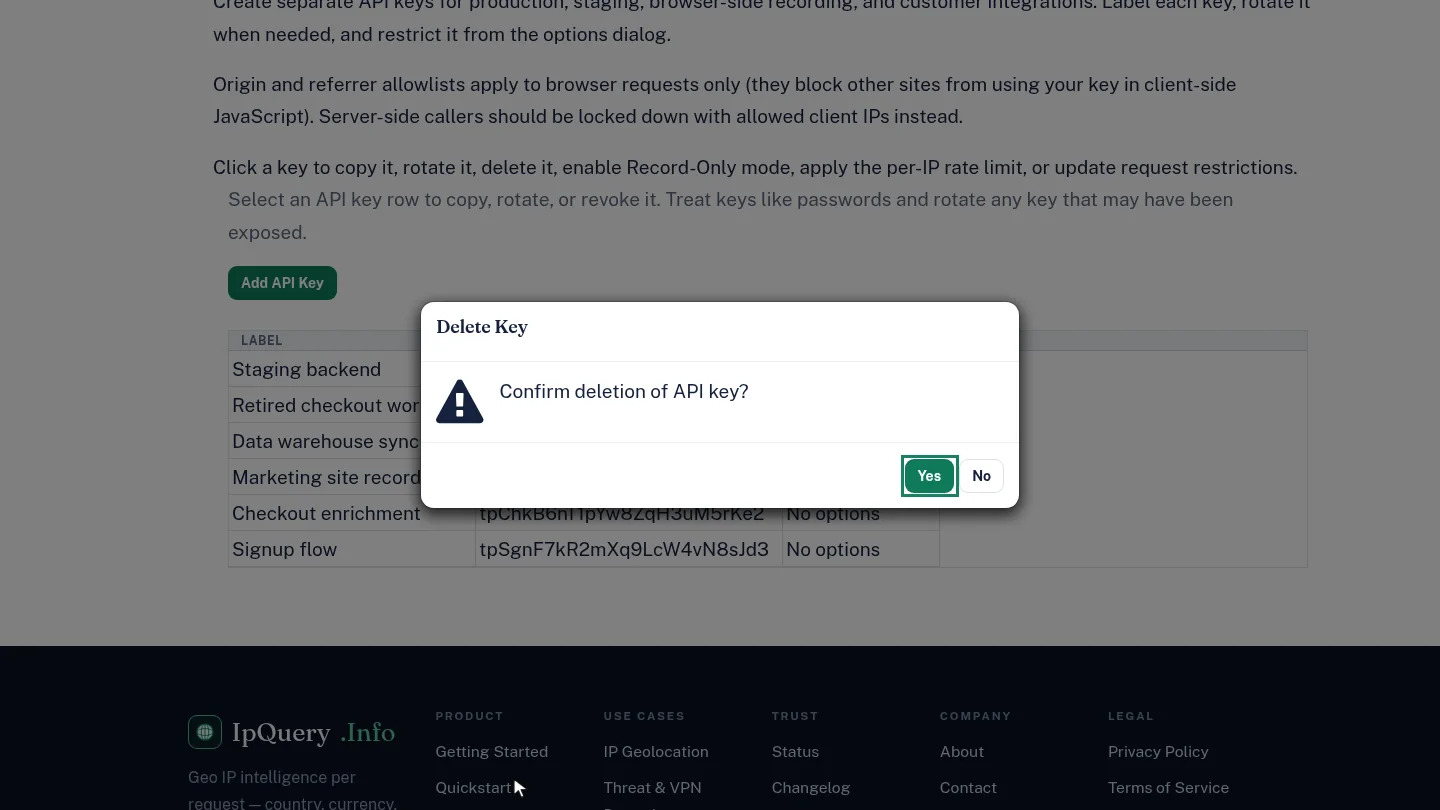
On API Keys, select the retired key, then select Delete API Key. A confirmation asks you to be sure.
Select Yes. The key disappears from the table, and requests that use it are refused.
Steps
Delete and confirm ▶ 0:08
In API Keys, select the key's row, select Delete API Key, then select Yes in Delete Key.
Confirm it's gone ▶ 0:15
The key no longer appears in API Keys.
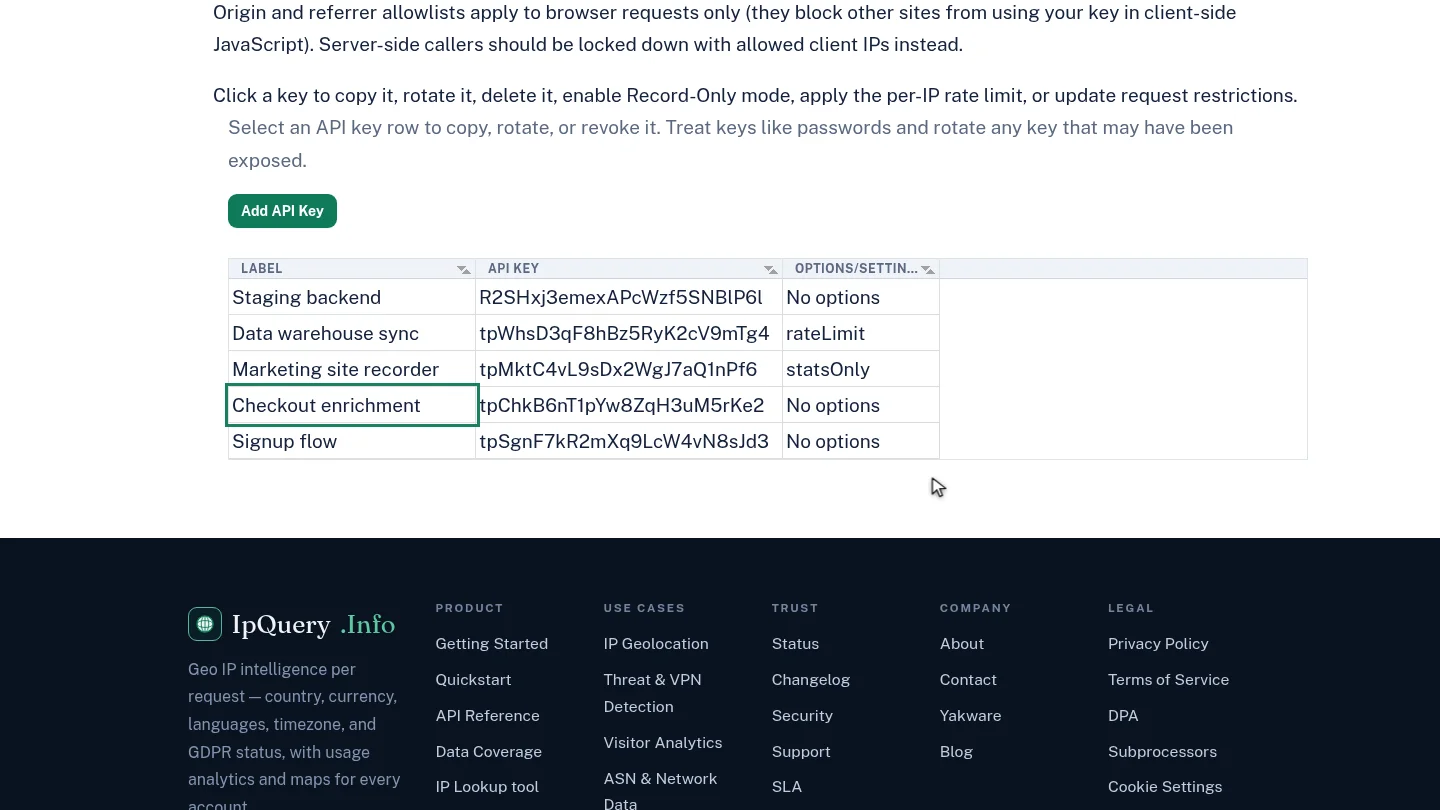
ResultThe key is gone from API Keys and its requests are refused.
Next steps
Updated 2026-10-26
delete api key remove key revoke api key