How to subscribe to a plan in IpQuery.Info
The 15-day trial includes every field with 1,000 requests. To keep your keys working at a production volume, subscribe to Basic, Advanced or Enterprise from Account and Billing; you pay by card in the page.
Before you start
- Owner or admin role
- A trial or inactive account
Preview voice Narrated with a local preview voice; the final recording replaces it.
Transcript
Move from the free trial to a paid IpQuery.Info plan, so your keys keep working at production volume.
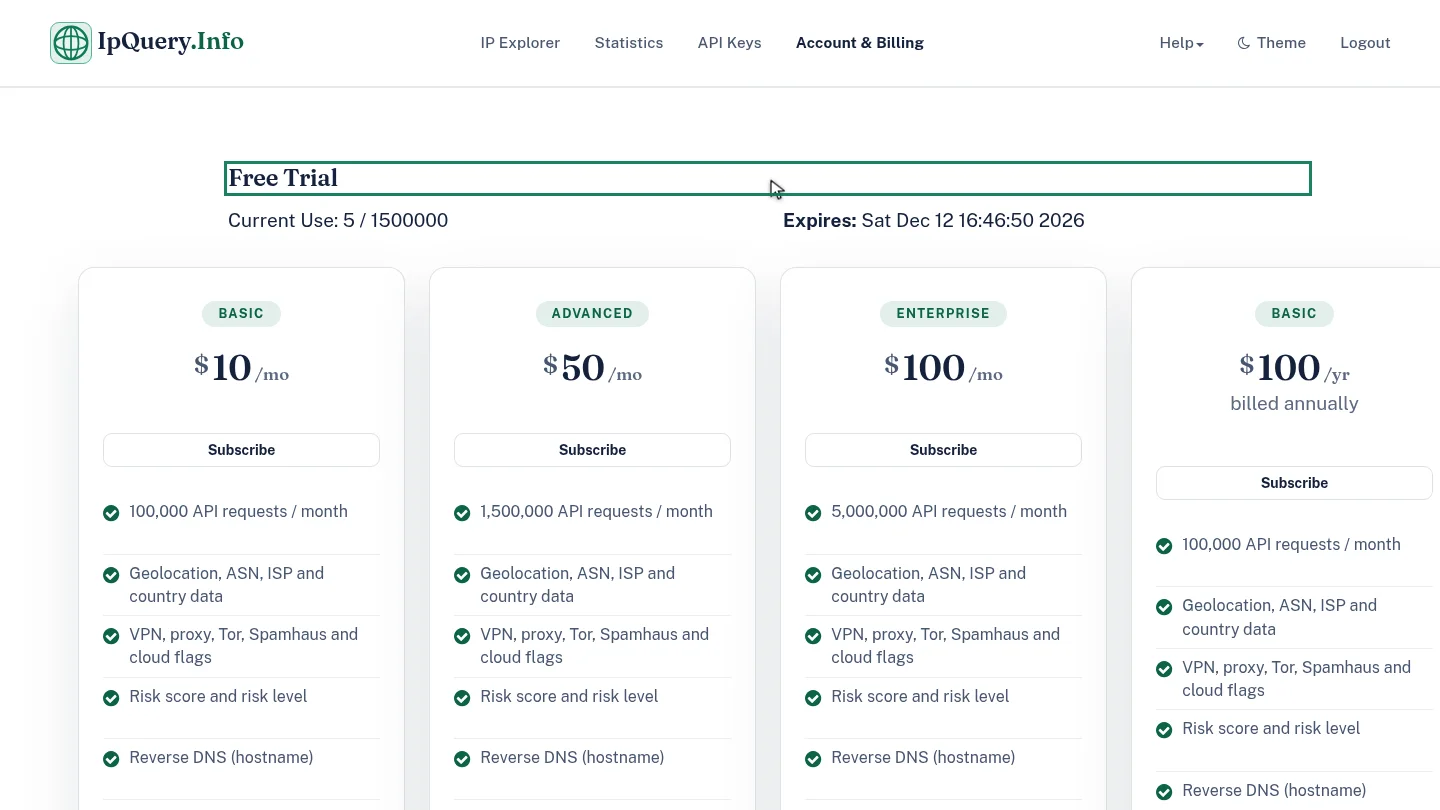
Account and Billing shows how many trial requests you've used and when the trial expires, with the plans below.
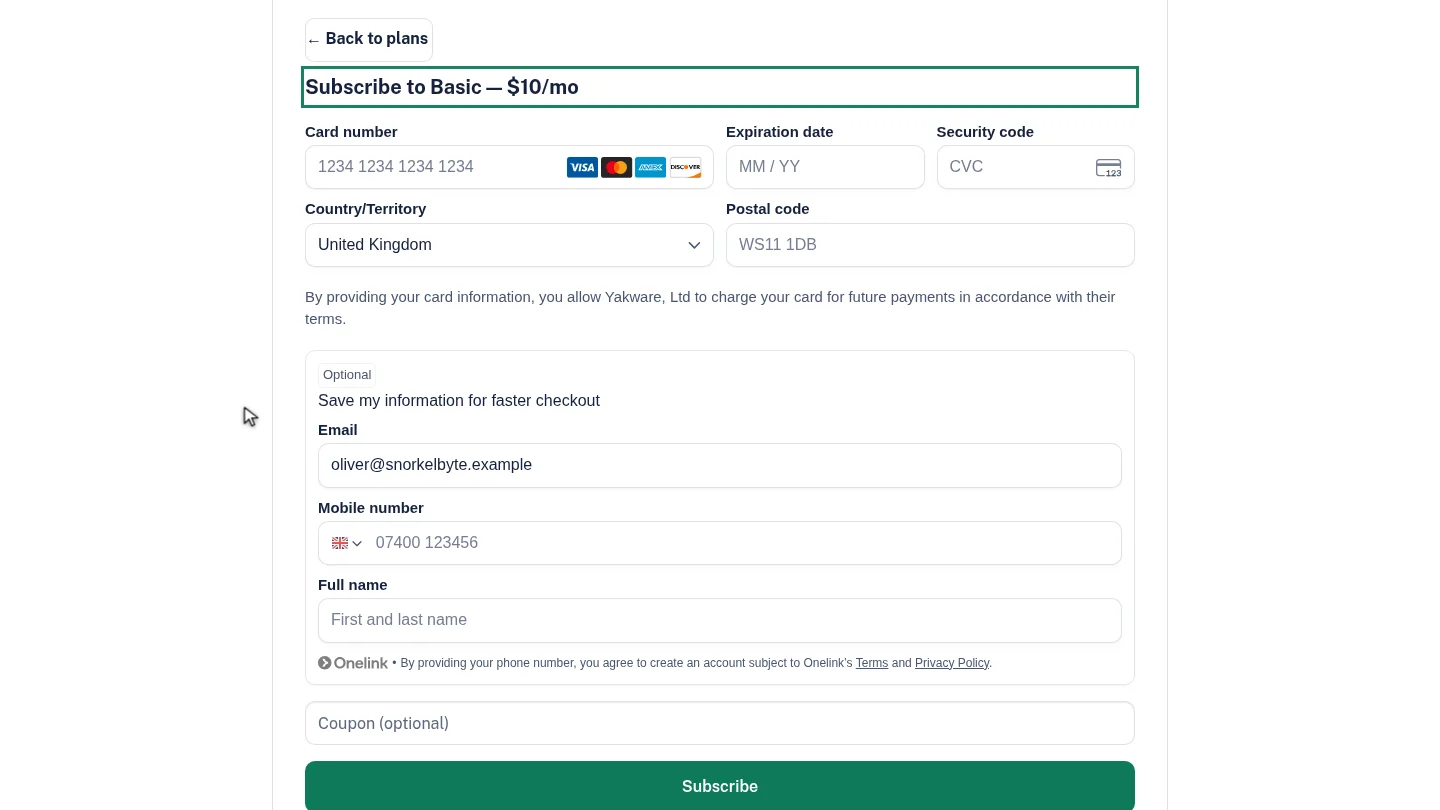
On the plan you want, for example Basic, select Subscribe. The checkout opens in place, with the plan and its monthly price.
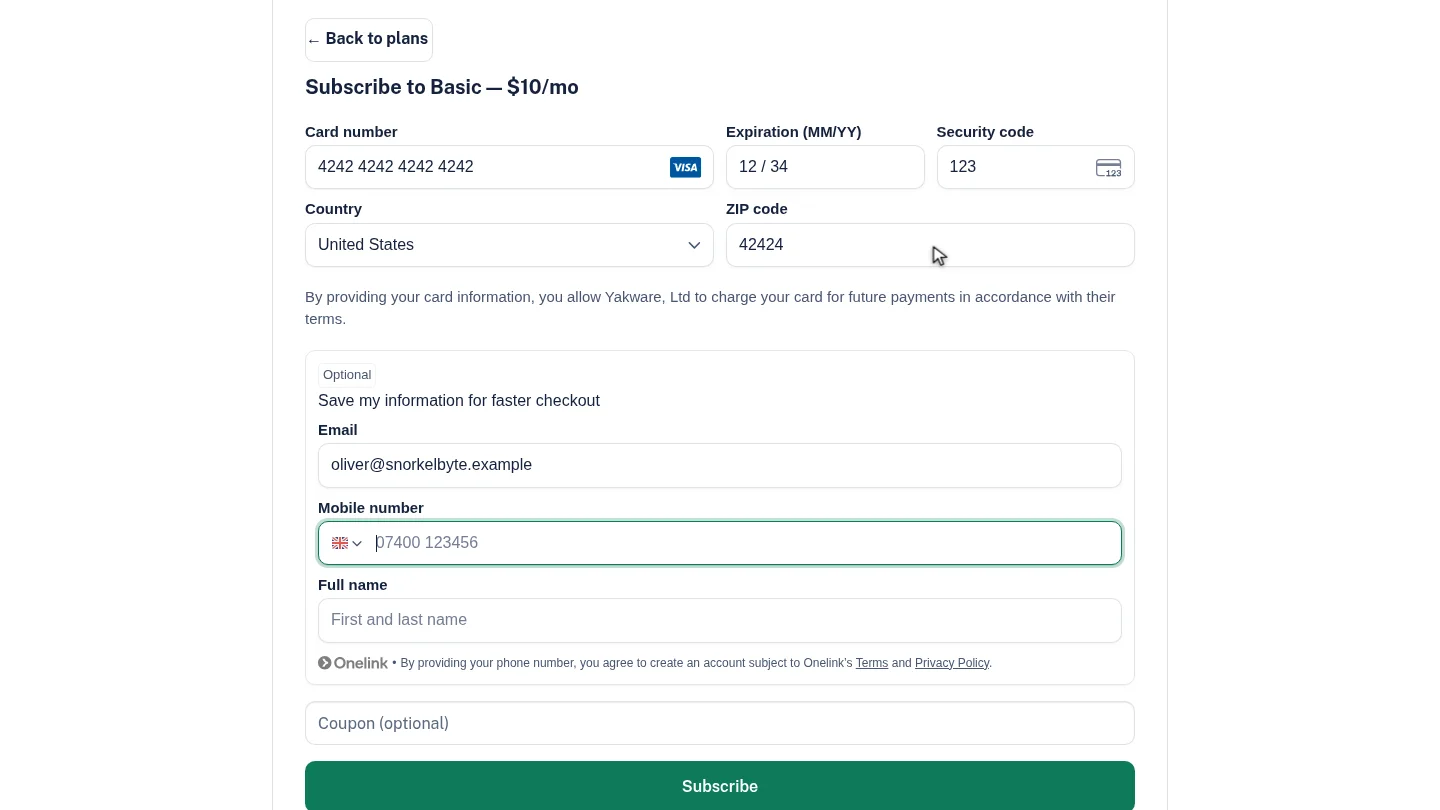
Enter your card number, expiry date and security code, choose your country, and enter your ZIP or postal code.
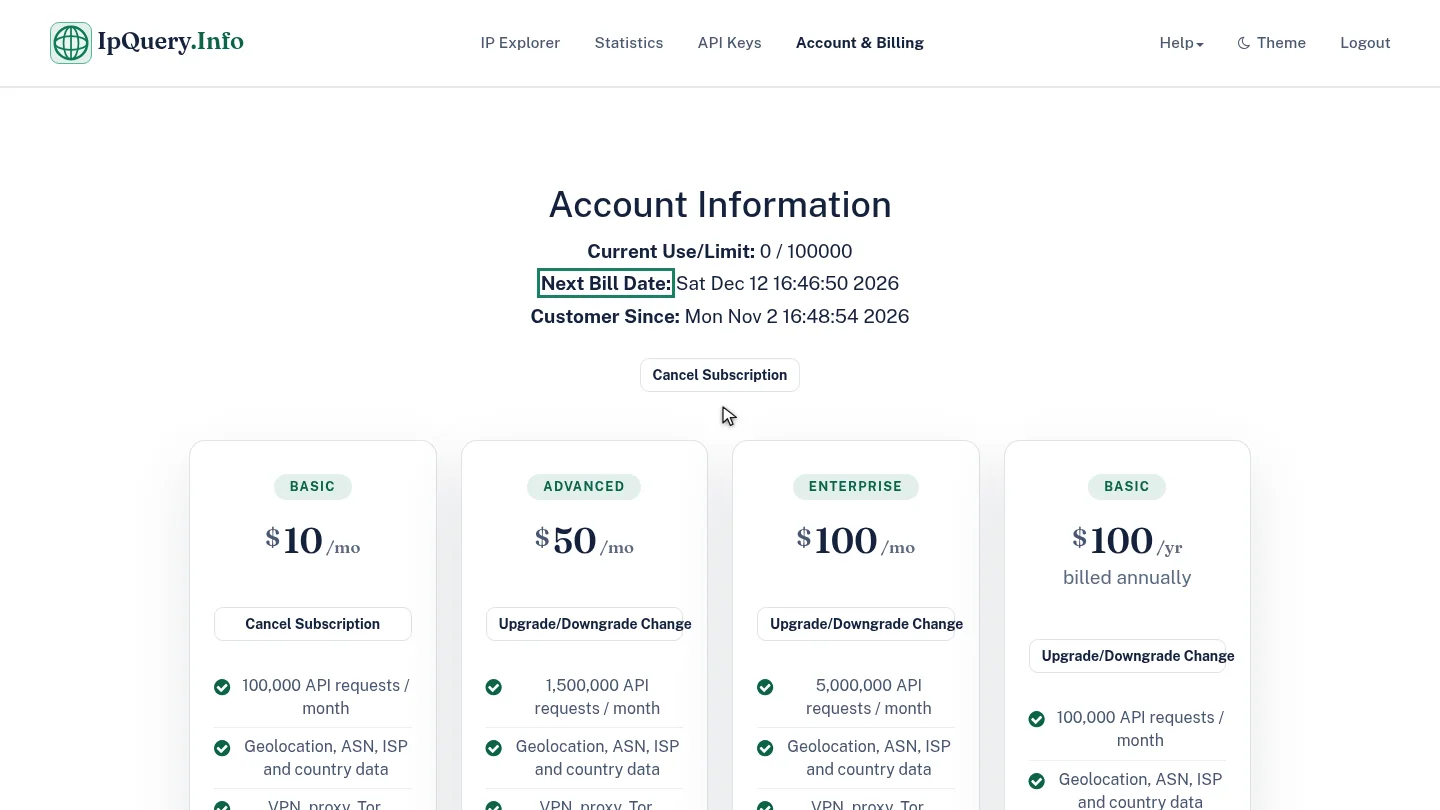
Select Subscribe. After Payment received, the subscription activates and Account Information shows your new limit and next bill date.
Steps
Check the trial ▶ 0:08
In Account & Billing, Free Trial shows Current Use and when it Expires.
Choose a plan ▶ 0:16
On the plan's card, select Subscribe. Subscribe to Basic opens with the price; ← Back to plans returns to the cards.
Enter your card ▶ 0:26
Enter the Card number, Expiration date and Security code, choose your Country, then enter the ZIP code or postal code.
Subscribe and check your plan ▶ 0:34
Select Subscribe. After Payment received — activating your subscription…, the page shows Account Information with Current Use/Limit: and Next Bill Date:.
Next steps
Updated 2026-10-26
pricing upgrade buy plan subscription payment