How to change your subscription plan in IpQuery.Info
Outgrowing your monthly requests, or need the Advanced privacy-detection fields? Switch plans from Account and Billing; the change goes to Stripe straight away.
Before you start
- Owner or admin role
- A paid subscription
Preview voice Narrated with a local preview voice; the final recording replaces it.
Transcript
Move your IpQuery.Info subscription to a bigger or smaller plan from Account and Billing.
Find the card for the plan you want, for example Advanced, and select Upgrade/Downgrade Change. IpQuery.Info asks you to confirm.
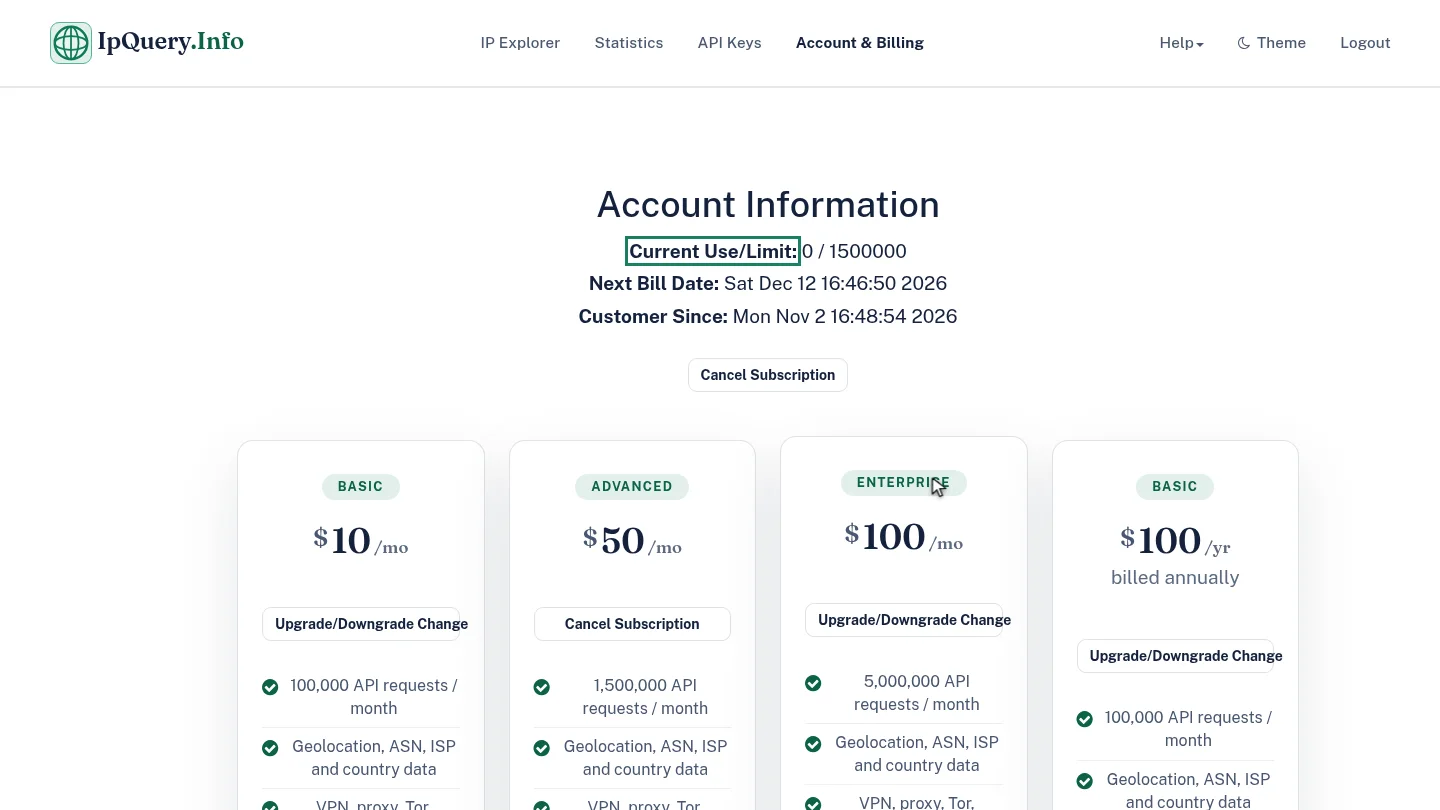
Select Yes. When Stripe confirms the change, the new plan becomes current and your monthly request limit updates.
Steps
Choose the new plan ▶ 0:07
On the new plan's card, select Upgrade/Downgrade Change. Confirm changing subscription plan? appears.
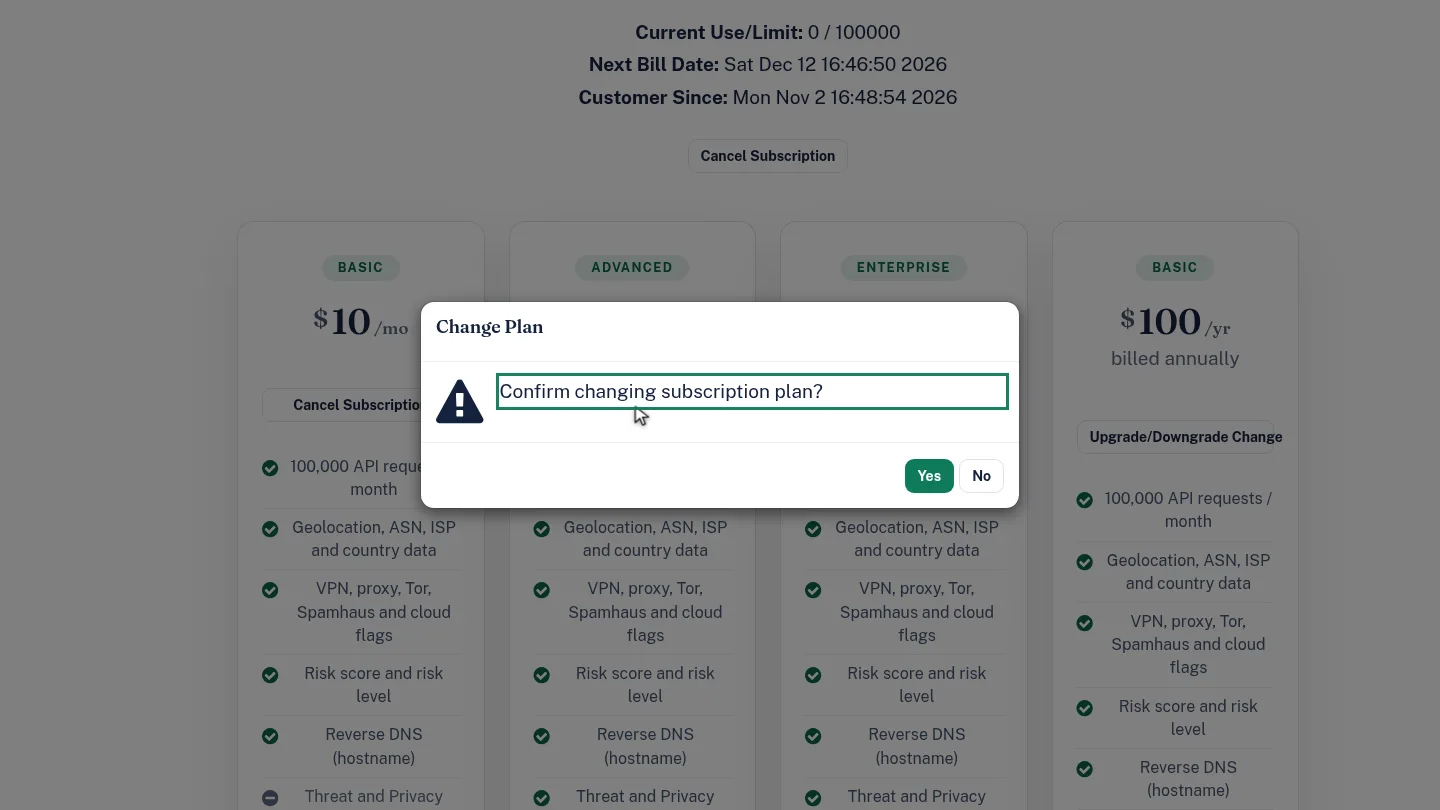
Confirm the change ▶ 0:17
Select Yes. When Stripe confirms, the new plan's card shows Cancel Subscription and Current Use/Limit: shows its limit.
Next steps
Updated 2026-10-26
upgrade plan downgrade plan switch plan