How to rotate an API key in IpQuery.Info
If a key may have been exposed, in a log, a screenshot or a former contractor's laptop, rotate it. Rotation replaces the key's value and keeps its label, settings and history; the old value stops working at once.
Before you start
- An API key
- Access to every integration that uses it, to paste in the new value
Preview voice Narrated with a local preview voice; the final recording replaces it.
Transcript
Replace an exposed API key with a new value, without losing its label, restrictions or settings.
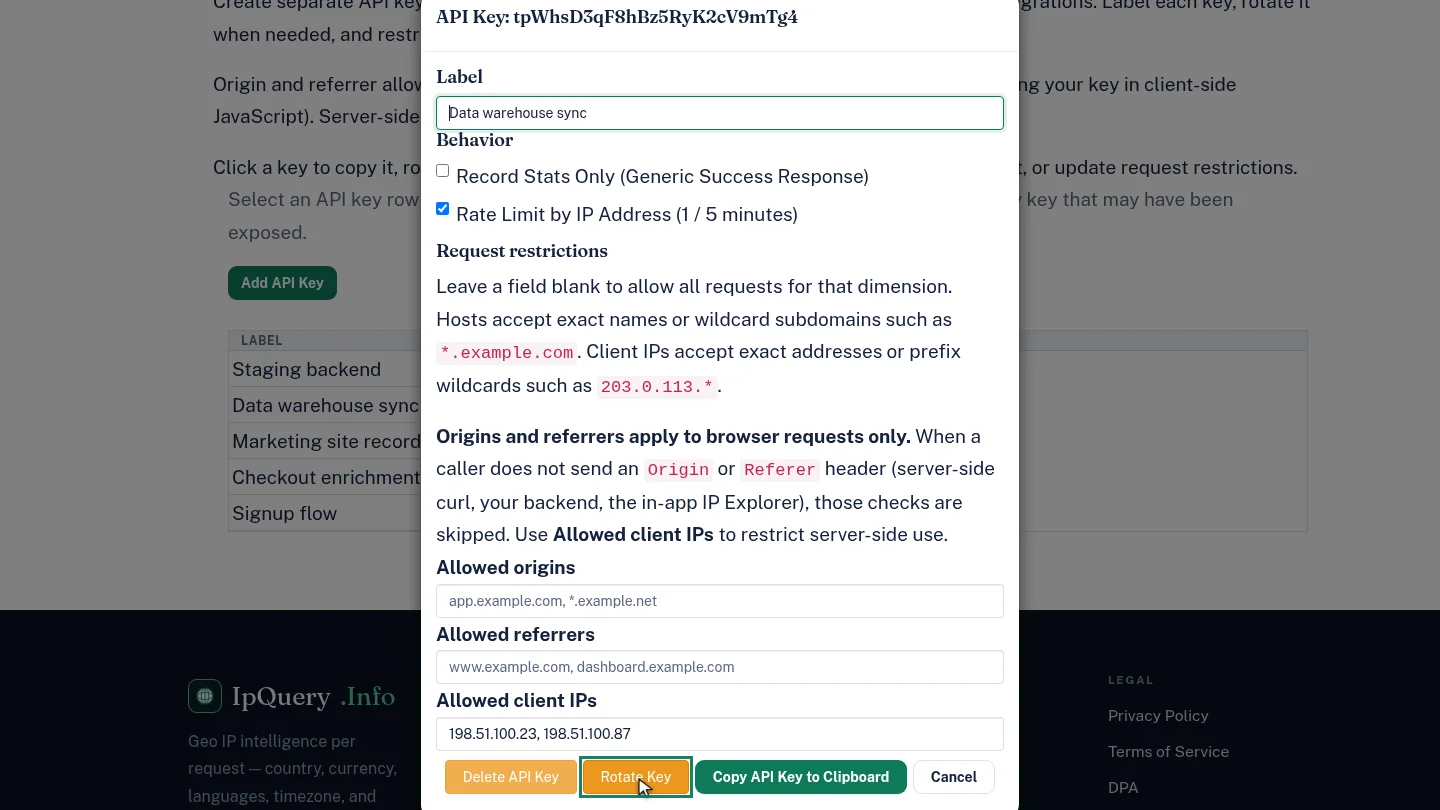
On API Keys, select the key that may have been exposed, then select Rotate Key in its options.
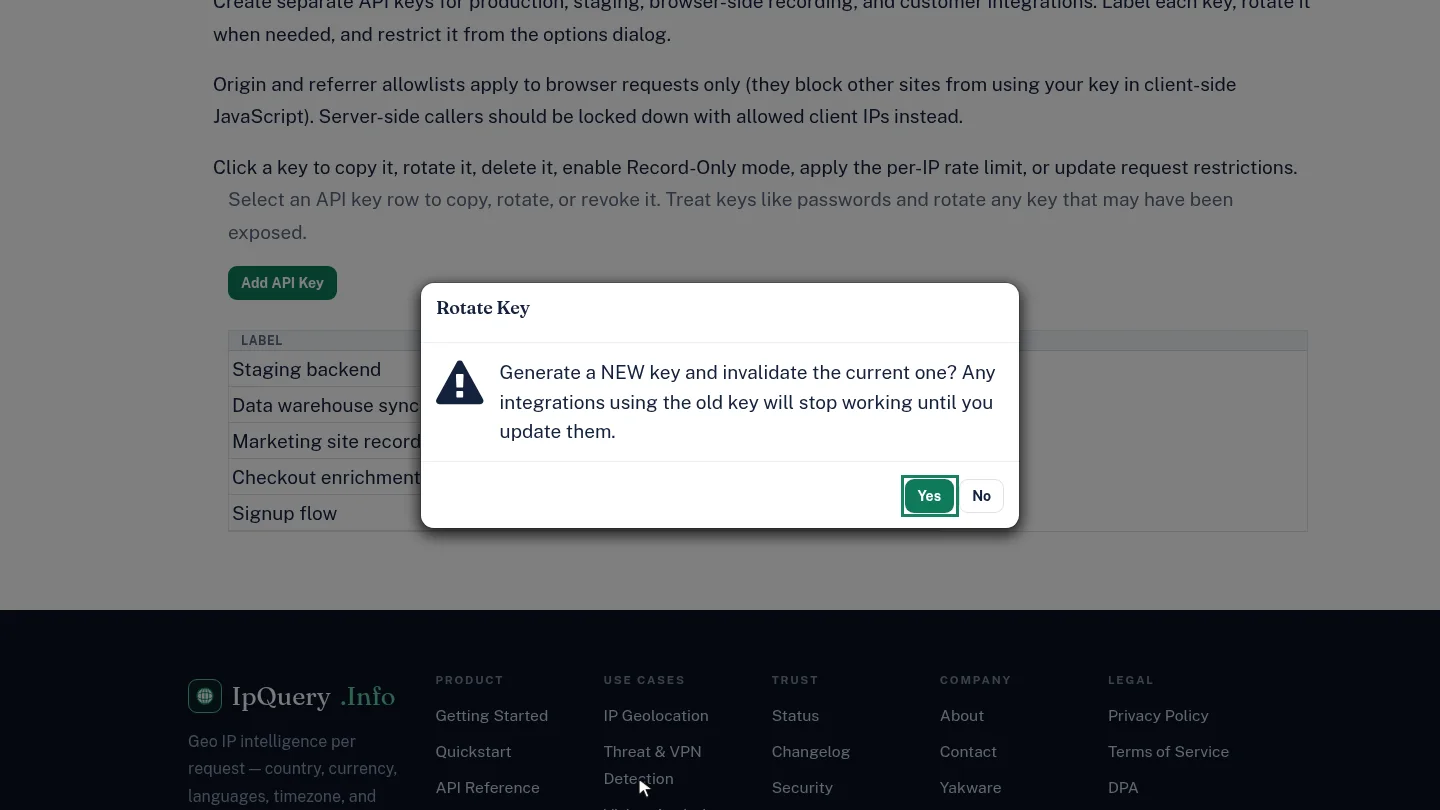
IpQuery.Info warns that integrations using the old key stop working until you update them. Select Yes to generate the new key.
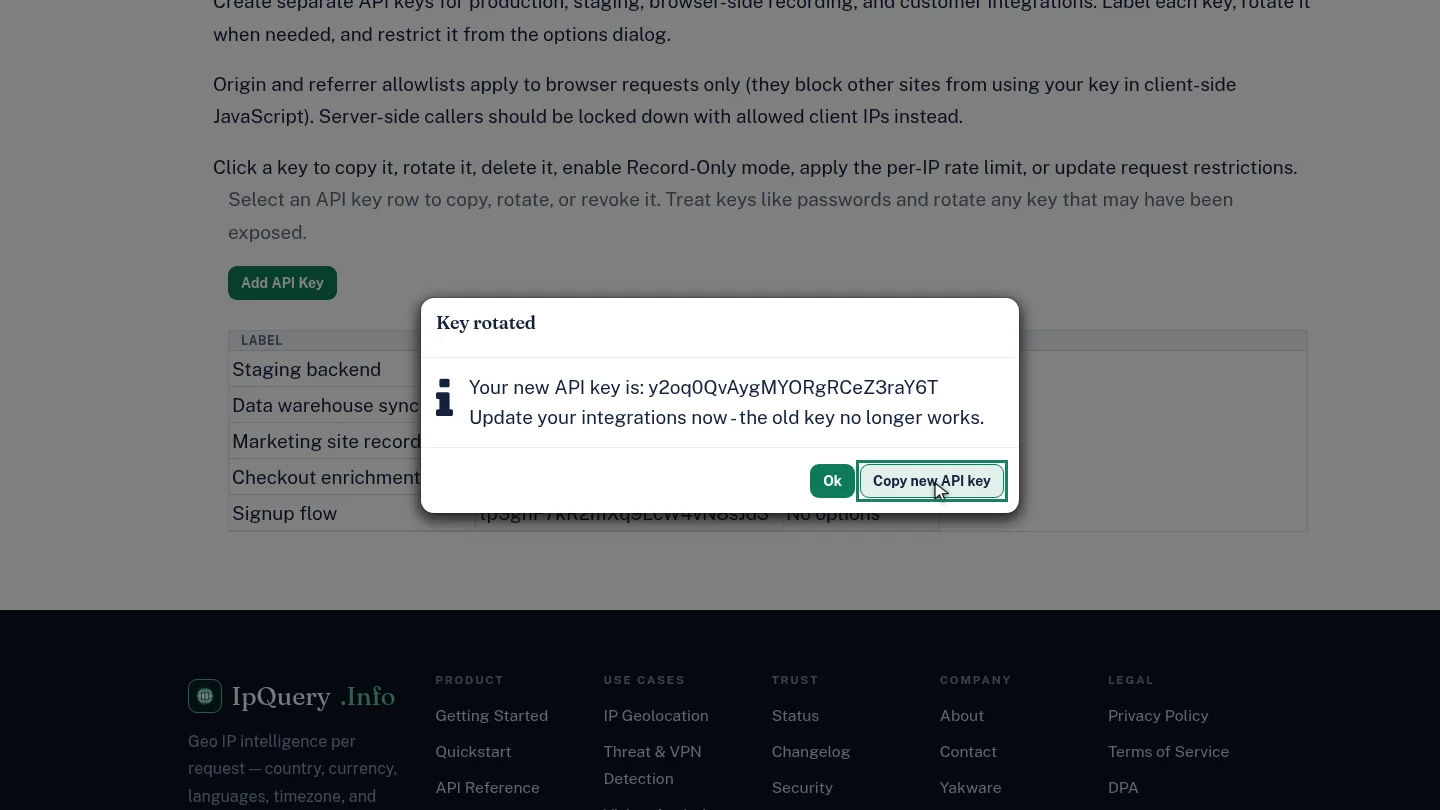
Key rotated shows the new value. Select Copy new API key, then update your integrations straight away.
Steps
Choose Rotate Key ▶ 0:08
In API Keys, select the key's row, then select Rotate Key.
Confirm ▶ 0:15
Read the warning, then select Yes.
Copy the new key ▶ 0:24
In Key rotated, select Copy new API key and update your integrations. Select Ok to close.
Next steps
Updated 2026-10-26
rotate api key regenerate key leaked api key revoke key